
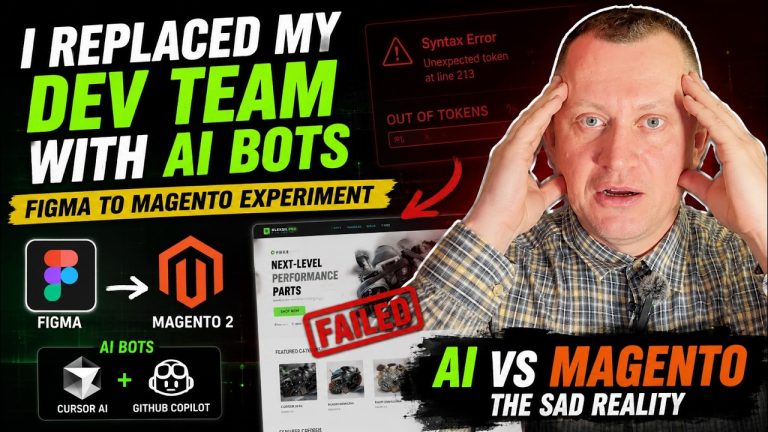
Can artificial intelligence already replace an entire web development team? We decided to put that question to the test with a real-world experiment.
We had a modern, professionally designed eCommerce store UI/UX ready in Figma. Instead of assigning the project to experienced frontend developers, we handed the entire implementation process over to AI tools — Cursor AI and GitHub Copilot.
Our goal was simple: determine whether AI could handle a complete Figma to Magento integration on its own and effectively replace Magento developers on a live project. Would we end up with a pixel-perfect Magento storefront or a complete disaster? Here’s what happened.
Step 1: The Perfect Start (When Everything Looked Too Easy)
Our starting point was a clean and modern Figma design featuring custom typography, interactive elements, and beautifully designed product grids.
For a human developer, converting a Figma design into code is a standard task. For AI, it should have been even easier.
We exported the code from Figma, launched a local environment, and ran npm start dev.
To our surprise, everything looked perfect.
The browser displayed a near-identical version of the original design. The HTML structure was there, the CSS was working, and at this point we almost started believing that frontend developers might become obsolete.
But then came the real challenge: adapting the design to Magento 2 and integrating it into the platform’s frontend architecture.
Step 2: Welcome to the Magento Ecosystem
Anyone who has worked with Magento knows that its frontend architecture is a world of its own.
XML layouts, blocks, templates, containers, theme inheritance — Magento is powerful, but it’s also complex.
We copied the design files into a custom Magento 2 theme and invited our first “AI engineer” to take over: Cursor AI.
The task seemed straightforward:
“Take the styles generated from Figma and integrate them into Magento’s layout structure.”
Initially, Cursor worked at lightning speed. It generated code faster than any developer could type it.
We were already preparing to celebrate when suddenly…
Boom.
Out of tokens.
The AI hit its context limit and stopped mid-process, leaving behind partially completed files, syntax errors, and broken code scattered throughout the project.
Step 3: The GitHub Copilot Rescue Mission
Leaving the project in that state wasn’t an option, so we switched tools and brought in GitHub Copilot.
The prompt was simple:
“Fix the syntax errors left by the previous AI and complete the style integration.”
Copilot analyzed the codebase, suggested fixes, and generated additional code to continue the implementation.
We applied the changes.
Cleared the Magento cache.
Ran dependency injection compilation.
Refreshed the browser.
And then came the moment of truth.
Before we get to the final outcome, watch the experiment in action. In the video below, Oleksii demonstrates the entire process – from the first prompt to the final result.
Expectations vs. Reality
The result was disappointing.
Instead of a polished Magento storefront, we ended up with a visual mess.
The AI tools failed to fully understand how Magento’s frontend architecture connects styles, templates, and layout blocks.
The product grids were overlapping.
Custom fonts failed to load.
Mobile responsiveness disappeared entirely.
AI performs remarkably well when working with isolated scripts, simple applications, or self-contained components.
However, once it encounters a large-scale platform like Magento, things become significantly more complicated.
Our experiment clearly demonstrated that AI is not yet capable of replacing an experienced Magento development team.
This becomes even more apparent in projects involving professional Magento 2 development, custom theme creation, third-party integrations, complex business logic, or advanced performance optimization.
In those scenarios, real-world experience still matters.
So What’s the Verdict?
To clean up the project, we eventually had to bring our human developers back into the process.
They manually reviewed the code, rewrote styles where necessary, and properly integrated the design into Magento’s architecture block by block.
Precision, logic, problem-solving, and deep platform knowledge remain uniquely human strengths.
Instead of spending your budget on token limits and endless AI-generated revisions, invest in a solution that works from the start.
If you’re looking for a reliable, pixel-perfect Magento 2 store built by experienced professionals, the Skynix team is always ready to help.
Our experiment showed that AI is not yet ready to fully replace Magento developers, especially when it comes to complex customizations, integrations, and Magento store development projects.
That doesn’t mean AI has no value.
When used correctly, AI can significantly accelerate Magento 2 development, automate repetitive tasks, improve developer productivity, and help teams deliver new features faster.
If you’re interested in learning where AI genuinely adds value in Magento projects and how to use AI effectively in web development, be sure to read our previous article: “How AI Accelerates Magento 2 Development: From Concept to Launch in Minutes”.