
In software development, ensuring that system roles and permissions work exactly as intended is crucial. Recently, our team identified an issue in the Clify system related to project managers (PMs) accessing reports. The bug was simple but important: PMs were able to view reports in projects where they were not officially assigned as the main PM. After applying a fix, we conducted thorough testing to confirm the issue was resolved.
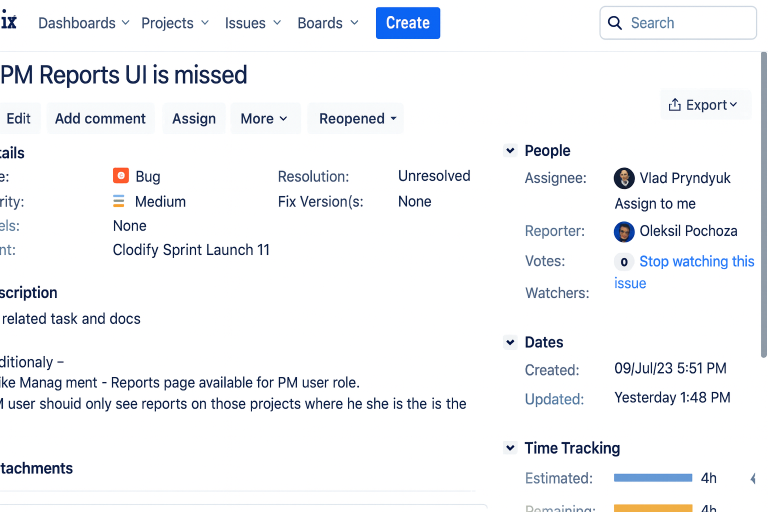
The Bug: PM Report Access
The original issue appeared in the PM Reports UI.
- Expected behavior: A PM should see reports only for projects where they are assigned as the project’s PM.
- Actual behavior: PMs were able to see reports from projects where they were only team members, not the official PM.
This mismatch caused unnecessary visibility and confusion within the reporting structure.
Multiple PMs Per Project
An interesting part of Clify’s functionality is that it allows multiple PMs to be added to the same project. For example, we tested a project where two accounts were assigned as PMs:
- Gary Medicine
- Gary Medicine Test (renamed for clarity)
While both accounts could technically be set as PMs, only one could be the primary PM of the project. This detail turned out to be critical for correct report access.
Testing the Fix
We verified the bug fix using both admin and PM accounts.
- Admin Account
- Could view all reports across all projects.
- Confirmed that reports existed for projects like Internal, New Test Project, and Terry Brown’s Project.
- PM Account (Non-Primary PM)
- Could still see the project listed under “Management Reports” because they were part of the project team.
- However, they could not open the reports unless they were designated as the official PM.
This confirmed that the fix worked as expected: visibility to projects remained, but report access was restricted.
Example Scenarios
- Internal Project: The official PM was V. Wilson. Although Gary Medicine was part of the team, he couldn’t open the report.
- New Test Project: Gary Medicine was a participant but not the main PM—no report access.
- Terry Brown’s Project: Similar case—Gary Medicine could see the project but not the report.
In all cases, admin users retained full access, and report visibility matched the permissions structure.
After testing, we confirmed that the issue was not a backend bug but rather a front-end clarification need. The system now behaves as intended:
✅ PMs see all projects they are assigned to.
✅ Only the official PM can open and review project reports.
✅ Admins maintain full visibility across the system.
The task has been closed successfully, and the fix is live 🎯https://clodify.com/ 🎯