
Expanding into international markets sounds straightforward—at least from a business perspective. Add another language, translate your content, launch localized pages, and start selling to customers across Europe or beyond.
In reality, it’s rarely that simple.
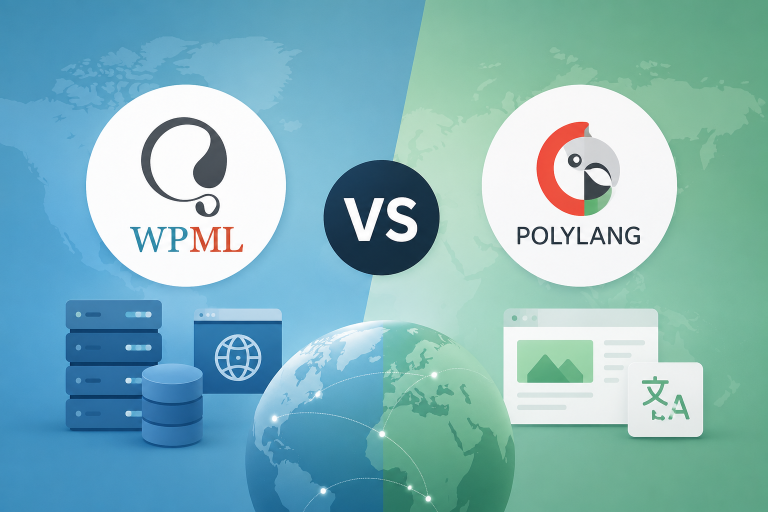
For developers, adding multilingual support isn’t just another feature request. It’s an architectural decision that affects your database structure, website performance, SEO, and long-term maintainability. In the WordPress and WooCommerce ecosystem, that decision usually comes down to two major players: WPML and Polylang.
While both plugins solve the same problem, they take fundamentally different approaches under the hood—and that difference can have a significant impact on your online store as it grows.
Let’s break down how they compare and which one makes the most sense for your project.
WPML: Enterprise-Level Infrastructure for Large WooCommerce Stores
If we had to describe WPML in one word, it would be infrastructure.
WPML doesn’t simply add multilingual capabilities to WordPress—it builds an entire multilingual framework around it. The plugin introduces its own database tables and extends WordPress’ default query logic to manage translations at scale.
Why developers approach it with caution:
That level of functionality comes at a cost.
WPML adds considerable complexity to the database and can increase server load, particularly on large websites with custom functionality. If your project includes heavily customized themes or plugins, updates may require additional testing to ensure everything continues working as expected.
Why businesses love it:
Where WPML truly shines is automation.
It integrates with translation services like Google Translate, DeepL, and Microsoft Translator, allowing thousands of products and pages to be translated with minimal manual effort.
It also includes a dedicated Translation Management system. Instead of giving translators access to your WordPress admin, you can assign translation jobs through a separate workspace, making collaboration with agencies or freelance translators much more secure and efficient.
For WooCommerce stores, WPML covers virtually every customer-facing element—from product descriptions and categories to checkout messages and transactional content.
For enterprise eCommerce businesses managing thousands of SKUs, that level of automation can save hundreds of hours of repetitive work.
Polylang: Lightweight, Developer-Friendly, and Built for Custom Projects
Polylang follows a completely different philosophy.
Instead of replacing WordPress’ internal logic, it extends the platform’s native taxonomy system to handle multiple languages. The result is a solution that feels much closer to WordPress itself.
Why developers prefer it:
From a technical perspective, Polylang keeps things clean.
It doesn’t create an oversized database or introduce unnecessary complexity, which helps maintain fast loading times and makes the codebase easier to maintain.
If your WooCommerce store relies on custom development—especially Advanced Custom Fields (ACF), custom post types, or bespoke themes—Polylang integrates naturally without interfering with your existing architecture.
The trade-off for content teams:
The downside is automation.
Each translated page exists as a separate piece of content that must be linked to its original manually. If you redesign your homepage or update page layouts, those changes typically need to be replicated across every language version.
Unlike WPML, translating 10,000 products with AI or machine translation isn’t a built-in workflow.
WPML vs Polylang: Which One Is Better for SEO and Core Web Vitals?
The honest answer is: it depends on your project. The right choice depends on factors such as: the size of your catalog, how often you’ll add new languages, who manages translations, and how much emphasis your team places on website performance.
Choose WPML if…
- your WooCommerce store contains thousands of products;
- you’re planning ongoing international expansion;
- multiple translators or content managers work on the website;
- automation is more valuable than keeping the system lightweight.
Yes, WPML consumes more server resources, but for many enterprise stores, the productivity gains easily outweigh the performance overhead.
Just remember to invest in proper hosting and performance optimization to keep your Core Web Vitals in good shape.
Related reading: If you’re chasing perfect PageSpeed scores, don’t miss our article “The PageSpeed Myth: Why a 95+ Score Doesn’t Mean Better SEO“ It’s part of our website performance series, where we explain what actually matters for SEO instead of focusing solely on Google’s testing tools.
Choose Polylang if…
- you’re building a custom WooCommerce website;
- your store only needs two or three languages;
- your product catalog is relatively stable;
- clean architecture and long-term maintainability are your top priorities.
With its lightweight approach, Polylang helps preserve excellent website performance while minimizing compatibility issues with custom code.
From an SEO perspective, a cleaner architecture also makes it easier for search engines to crawl and index your content efficiently.
Final Thoughts
There’s no universally “best” multilingual plugin. The right solution depends on your business goals, your development workflow, and how your website is built.
What matters most is making that decision before development begins. Migrating from one multilingual plugin to another after launch is one of the most painful WordPress migrations you can undertake. It often involves rebuilding relationships between translated content, restructuring data, and addressing SEO risks that could impact your search visibility.
Choosing the right multilingual architecture from day one is far easier—and far less expensive—than fixing it later.
Planning a Multilingual WooCommerce Website?
Whether you’re launching internationally or adding new language versions to an existing store, we’d be happy to help you choose the right architecture.
Let’s discuss your project and find a solution that balances performance, scalability, and ease of content management.
Reach out via the chat on our website or connect with us on LinkedIn —we’re always happy to talk.