
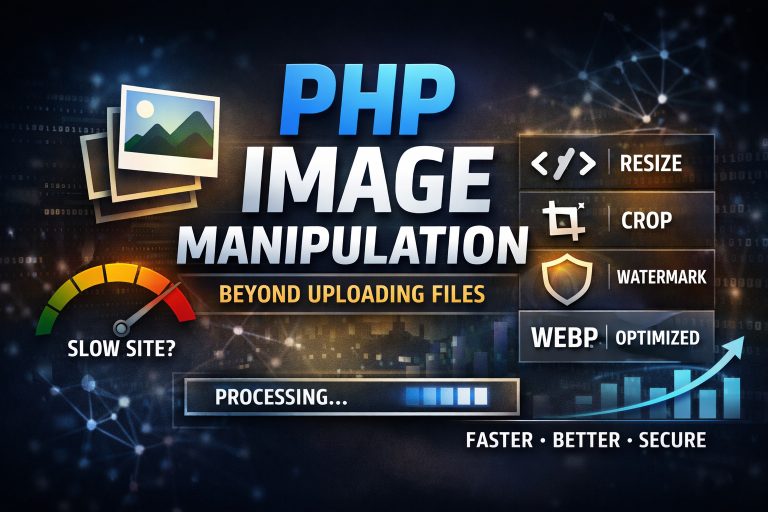
When most developers think about images in PHP, they stop at one thing — upload and forget.
But that’s just the surface.
In reality, PHP can handle a full image processing pipeline: resizing, cropping, watermarking, filtering, and optimization — all on the backend, without external services.
If you’re building an e-commerce platform, CMS, or any system with user-generated content — this is not optional. It’s infrastructure.
Let’s break it down.
🔑 GD vs Imagick — Choosing the Right Tool
Before touching any pixels, you need to understand the two main tools PHP gives you.
GD comes bundled with PHP and covers 90% of typical
- resize images
- crop
- add text or overlays
- basic filters
It’s fast, predictable, and doesn’t require extra setup. Perfect for:
- product thumbnails
- blog images
- avatars
👉 If your project doesn’t require complex transformations — GD is enough.
🎯 Imagick — Advanced processing power
Imagick is a wrapper for ImageMagick and opens much more possibilities:
- work with multiple formats (including SVG, TIFF, PDF)
- advanced filters and effects
- better quality resizing
- batch processing
👉 Use Imagick when:
- you process large volumes of images
- quality matters (e.g. photography, design platforms)
- you need more than basic transformations
Step 1: Upload — The Entry Point
Everything starts with a correct upload.
if ($_SERVER['REQUEST_METHOD'] == 'POST' && isset($_FILES['image'])) {
    $image = $_FILES['image'];
    $uploadDir = 'uploads/';
    $uploadFile = $uploadDir . basename($image['name']);

    if (move_uploaded_file($image['tmp_name'], $uploadFile)) {
        echo 'Image uploaded successfully!';
    } else {
        echo 'Failed to upload image.';
    }
}
💡 But in real projects, this is not enough. You should also:
- validate MIME type
- limit file size
- rename files (avoid collisions)
- store outside public root (if sensitive)
Upload is not just a feature — it’s a security layer.
Step 2: Resize — Performance First
Large images kill performance.
Every unoptimized image = slower page load = worse SEO = lower conversions.
function resizeImage($source, $target, $width, $height) {
    list($originalWidth, $originalHeight) = getimagesize($source);
    $image = imagecreatefromjpeg($source);

    $newImage = imagecreatetruecolor($width, $height);
    imagecopyresized($newImage, $image, 0, 0, 0, 0, $width, $height, $originalWidth, $originalHeight);

    imagejpeg($newImage, $target);
    imagedestroy($image);
    imagedestroy($newImage);
}
👉 In production:
- keep aspect ratio
- generate multiple sizes (thumbnail, medium, large)
- use compression
Step 3: Crop — Control the Composition
Cropping is not just editing — it’s UX.
You control what users see first.
function cropImage($source, $target, $x, $y, $width, $height) {
    $image = imagecreatefromjpeg($source);

    $croppedImage = imagecrop($image, [
        'x' => $x,
        'y' => $y,
        'width' => $width,
        'height' => $height
    ]);

    if ($croppedImage !== FALSE) {
        imagejpeg($croppedImage, $target);
        imagedestroy($croppedImage);
    }

    imagedestroy($image);
}
👉 Use cases:
- product previews
- avatars
- consistent grid layouts
Step 4: Watermark — Protect & Brand
If you’re working with user content or media assets — watermarking is a must.
function addWatermark($imagePath, $watermarkPath, $targetPath) {
    $image = imagecreatefromjpeg($imagePath);
    $watermark = imagecreatefrompng($watermarkPath);

    $imageWidth = imagesx($image);
    $imageHeight = imagesy($image);
    $watermarkWidth = imagesx($watermark);
    $watermarkHeight = imagesy($watermark);

    $destX = $imageWidth - $watermarkWidth - 10;
    $destY = $imageHeight - $watermarkHeight - 10;

    imagecopy($image, $watermark, $destX, $destY, 0, 0, $watermarkWidth, $watermarkHeight);

    imagejpeg($image, $targetPath);

    imagedestroy($image);
    imagedestroy($watermark);
}
👉 Typical scenarios:
- marketplaces
- photography platforms
- SaaS with media uploads
Step 5: Filters — Quick Visual Enhancements
Even basic filters can improve visual consistency.
function applyGrayscale($imagePath, $targetPath) {
    $image = imagecreatefromjpeg($imagePath);

    imagefilter($image, IMG_FILTER_GRAYSCALE);

    imagejpeg($image, $targetPath);
    imagedestroy($image);
}
👉 Available filters:
- grayscale
- brightness / contrast
- blur
- edge detection
Step 6: Thumbnails — Must-Have for Any UI
Thumbnails are not optional — they are critical for performance and layout.
function createThumbnail($source, $target, $thumbWidth) {
    list($originalWidth, $originalHeight) = getimagesize($source);
    $thumbHeight = ($thumbWidth / $originalWidth) * $originalHeight;

    $image = imagecreatefromjpeg($source);
    $thumb = imagecreatetruecolor($thumbWidth, $thumbHeight);

    imagecopyresized($thumb, $image, 0, 0, 0, 0, $thumbWidth, $thumbHeight, $originalWidth, $originalHeight);

    imagejpeg($thumb, $target);

    imagedestroy($image);
    imagedestroy($thumb);
}
👉 Best practice:
- generate thumbnails on upload, not on request
- cache results
- serve via CDN
🎯 Common Pitfalls (and How to Avoid Them)
1. Corrupted images
Always validate:
getimagesize($file)If it fails — don’t process the file.
2. Memory limits
Large images = high memory usage.
👉 Solutions:
- increase
memory_limit - resize early
- switch to Imagick for heavy processing
3. Format issues
Not all images are JPEG.
👉 Handle:
- PNG
- GIF
- WebP (recommended for web)
PHP is not just about uploading images — it’s about controlling the entire image lifecycle.
From upload → processing → optimization → delivery.
If done right, this gives you:
- faster websites
- better SEO
- consist of one
- protected content
And most importantly — a better product.
If your project relies on images (e-commerce, SaaS, media platforms), image processing is not a “nice-to-have”.
It’s part of your core architecture.