

When building and improving a complex system like Clodify, every detail matters. Recently, our team identified and fixed a bug related to the way numbers were displayed on the Income Distribution page. In this article, we’ll walk through the testing process to ensure everything now works as intended.
The Reported Issue ❌
The bug report highlighted that numbers in the income distribution section were not being rounded properly. This created discrepancies in financial reports, which could lead to confusion for users reviewing invoices and income calculations.
The Fix ‼️Our developers applied a change that ensures all numbers are now properly rounded according to the system rules. This adjustment should provide clearer, more consistent reporting for financial data.
Once the fix was deployed, we tested it step by step:
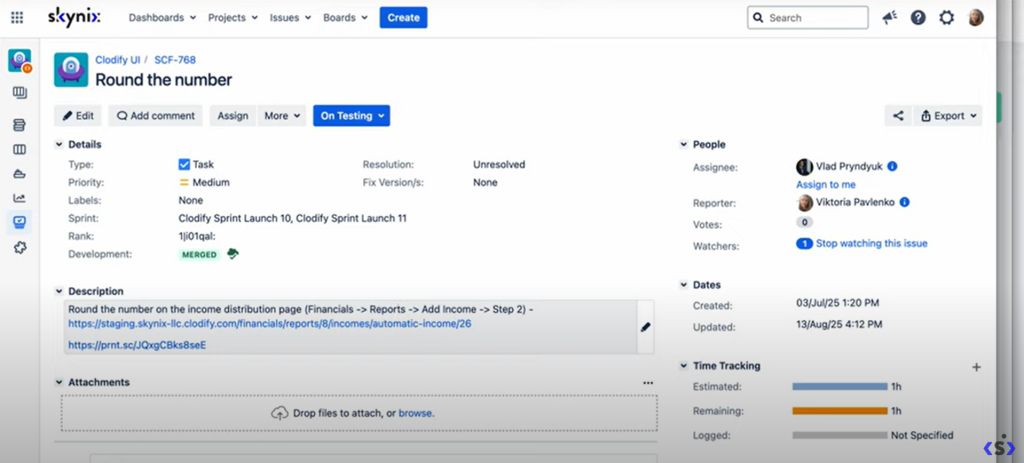
🕵️♂️ Identifying the task.
The focus was on verifying rounding in the income distribution module of Clodify.
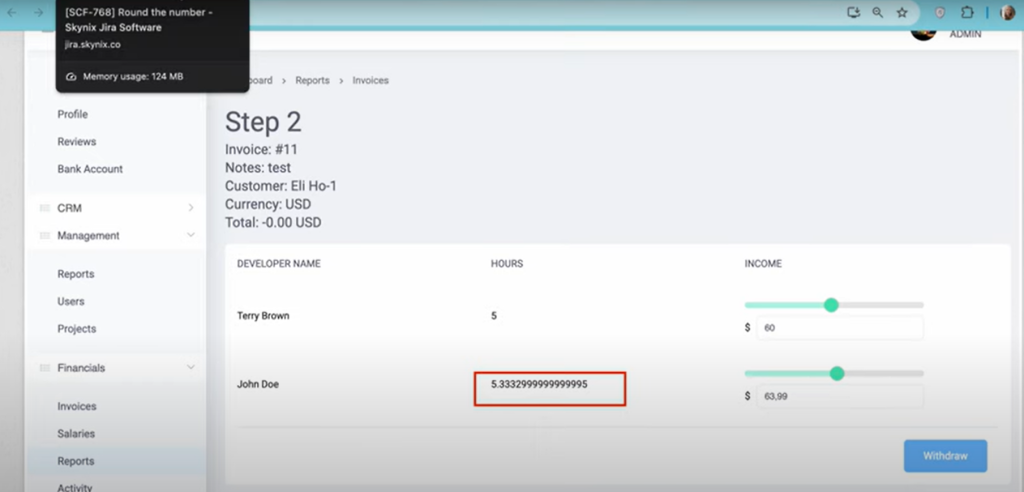
🕵️♂️ Navigating to the financial reports.
We opened the Add Income page within the financial reports section.
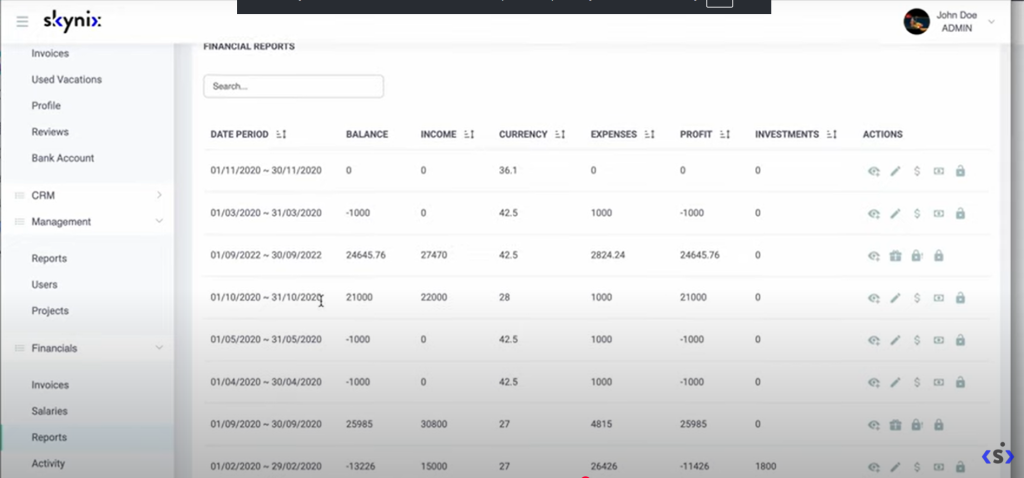
🕵️♂️ Adding invoices.
Test invoices were added for October 2020 to verify whether the rounding now works as expected.
🕵️♂️Verifying results.
An invoice with logged time of 5 hours 25 minutes was checked. The result was correctly rounded and displayed in the report.
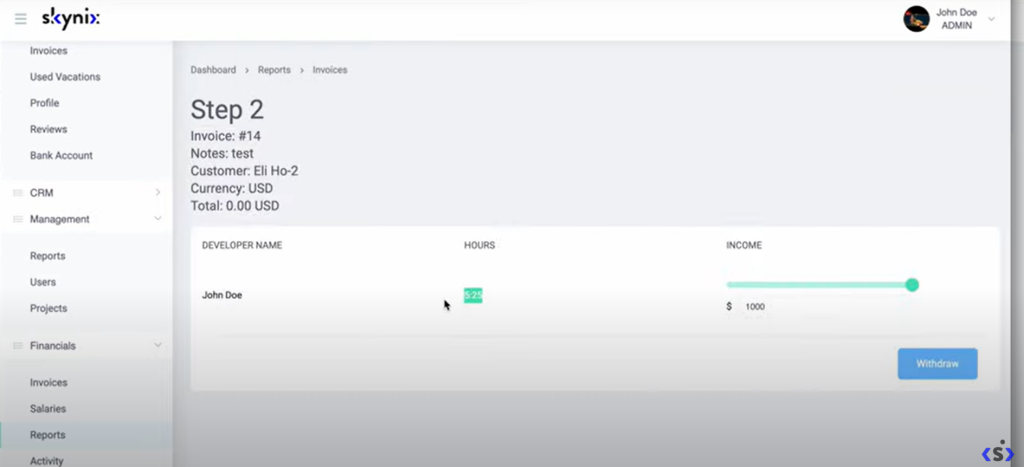
🕵️♂️ Confirming correctness
The totals and hours all displayed properly, showing that the bug had been successfully fixed.
The rounding bug in Clodify’s Income Distribution page has been fully resolved. After thorough testing, we confirmed that invoices and income entries now show accurate, rounded numbers.
This fix improves clarity and reliability for all financial reporting within the platform—helping users trust the data they see.
✅ Task closed.
🌐 Learn more here: https://clodify.com/