Meet GlanceKeep: the app that remembers where you put things
Our team built its own product. Here is what it does and why we made it.
You are about to leave the house, and the car keys are not where you thought they were. Or it is the passport, the spare charger, the warranty card for the dishwasher. Everyone loses a few minutes like this every week, and the frustration costs more than the time.
Today we are launching GlanceKeep, a mobile app built by the Skynix team to fix exactly this.
How it works
GlanceKeep does two things: it saves where you put something, and it tells you when you ask.
- Save. Take a photo of the item where you left it, or just say it out loud: “spare keys, top drawer in the hallway.” The app suggests a name, a place and a category. You confirm with one tap.
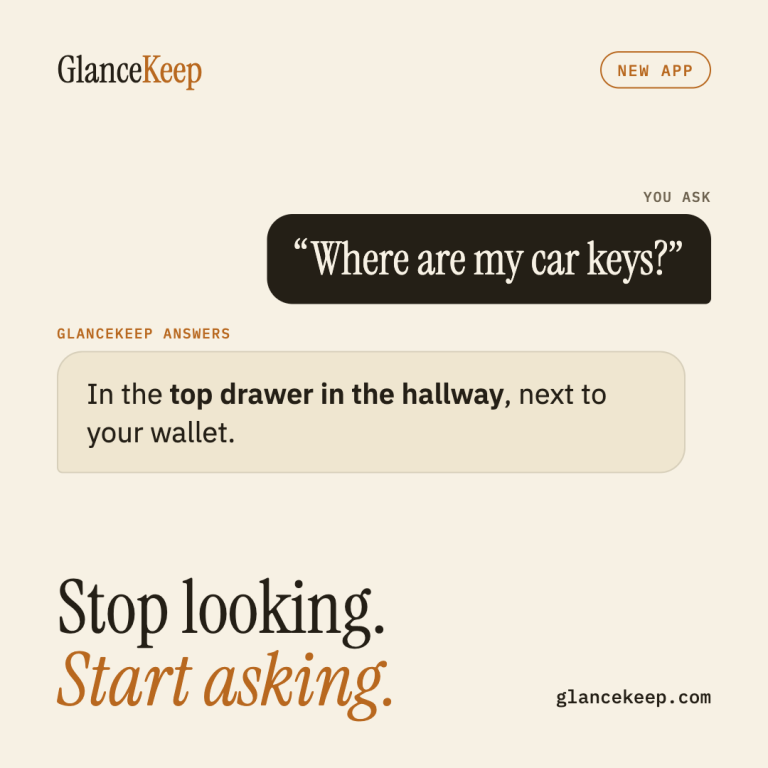
- Ask. Later, type or say “where are my car keys?” GlanceKeep answers in a plain sentence: “In the top drawer in the hallway, next to your wallet.”
There are no forms, folders or categories to set up. If the item moves, tell the app and it updates the existing entry instead of creating a duplicate. It also notices other objects in the photo, so a search for your wallet can find the photo you took of your keys.
Why we built it, and how
We looked at the apps that already try to solve this. Most of them ask you to fill in forms, and when photo recognition fails they fall back to even more forms. People stop using them within days. We built GlanceKeep around three rules instead:
- Saving takes about two seconds. Speed is the only reason anyone will use an app like this every day, so every extra step was either made optional or removed.
- A save never fails. If the AI cannot recognize the item, GlanceKeep still keeps the photo or recording, and you can add details later.
- Your things stay private. No account is needed, and your items are stored on your phone. Photos and voice notes sent for recognition are deleted from our servers right after they are processed.
GlanceKeep is built with React Native for iOS and Android, with a Laravel backend and Google Gemini for image and speech recognition. It is the same stack and process we use on client projects, and building our own product taught us a lot that we now bring back to that work.
Try it today
GlanceKeep is available now on the App Store and Google Play.
| Plan | Price | What you get |
|---|---|---|
| Free | $0 | 20 AI requests a month, with a small ad on the home screen |
| Premium | $3.99/month or $33.99/year | Unlimited AI requests, no ads, sync across devices |
One suggestion: install it and save the 10 things you look for most often. Keys, passport, chargers, documents. It takes about two minutes, and the next time something goes missing, just ask.
We would love to hear what you think. Tell us what worked and what didn’t.