

When it comes to creating intuitive and user-friendly forms, small decisions—like choosing between a checkbox and a toggle switch—can have a big impact. While they may look similar and both represent binary choices (on/off, yes/no, enabled/disabled), they are not interchangeable. Understanding when to use each helps enhance usability, reduce errors, and create a more polished user experience.
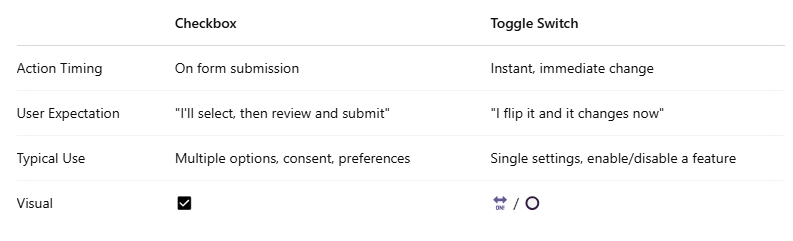
🎯What’s the Difference?
💡5 Use-Cases for Form Design
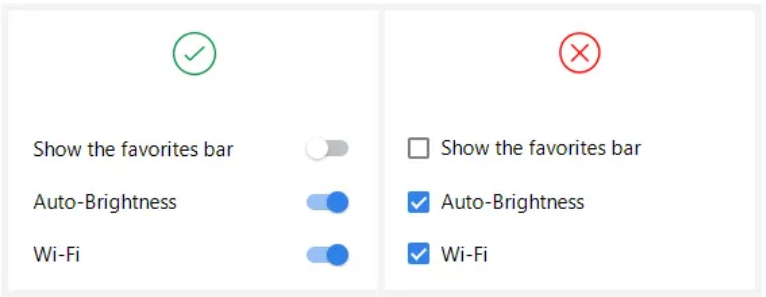
1. Settings that Take Immediate Effect (Use a Toggle Switch)
When the action needs to happen right away—like turning on “Dark Mode” or “Enable Notifications”—a toggle switch gives clear feedback that the change is applied.
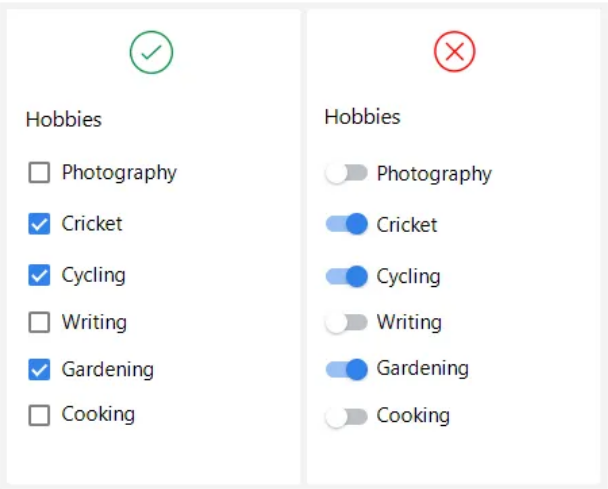
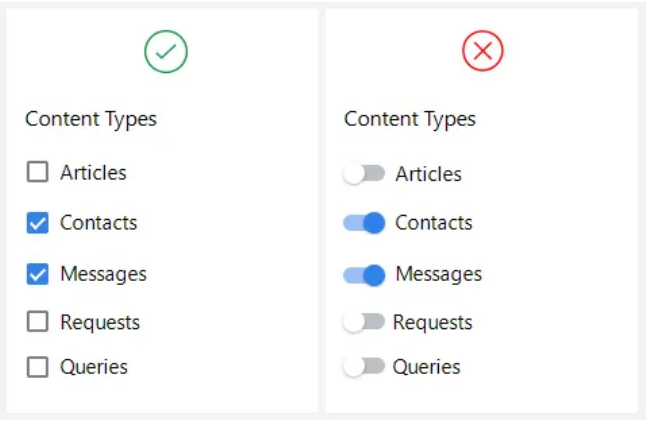
2. Multiple Selections at Once (Use Checkboxes)
When users can select several options at the same time and need to review their choices before submitting, checkboxes are better.
3. Permissions and User Roles (Use Checkboxes)
Managing permissions often requires selecting multiple granular options rather than toggling a single state.
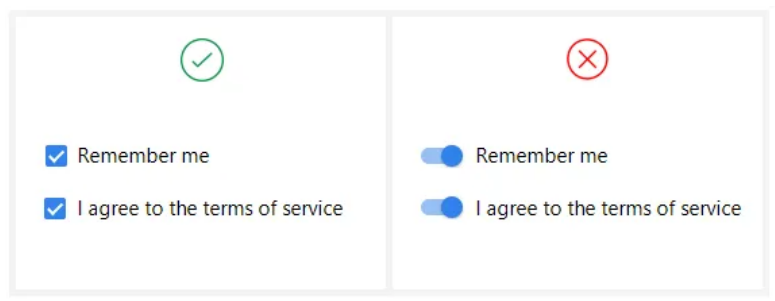
4. Privacy Preferences or Legal Agreements (Use Checkboxes)
Checkboxes make sense for confirming agreements or consents because users must explicitly agree, and usually, they need to submit the form.
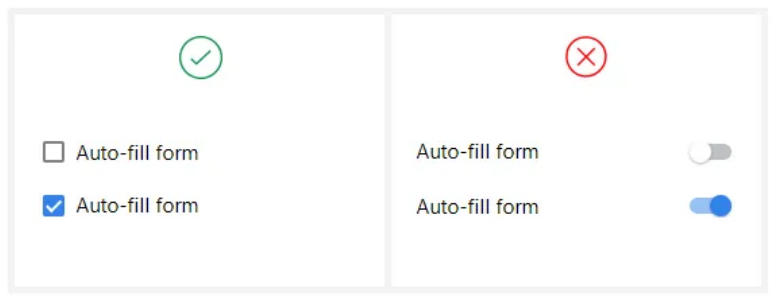
5. System or Feature Enable/Disable (Use a Toggle Switch)
If enabling a feature or turning off a system setting should immediately change the environment, a toggle is ideal.
Both checkboxes and toggle switches are essential UI tools, but context matters. Think about whether the user expects an immediate effect or a review before committing. A small design choice can greatly influence clarity, satisfaction, and the overall form experience.
When in doubt?
👉 If users need to make multiple decisions and review them later, use checkboxes.
👉 If a single action must happen instantly, use a toggle.
We are happy to help🤝