
Missed part one? No worries! In our previous post, we broke down why chasing a flawless Google PageSpeed Insights lab score doesn’t automatically buy you a ticket to the top of SERPs, and why real user experience trumps simulated numbers every time. If you haven’t read it yet, we highly recommend catching up here: The PageSpeed Myth: Why a 95+ Score Doesn’t Mean Better SEO.
Whenever e-commerce brand owners reach out to us for optimization, tech support, or troubleshooting, we almost always start with one thing: a deep-dive code audit. Want to guess the most common technical bottleneck we uncover?
It’s an absolute avalanche of third-party plugins, extensions, and SaaS widgets.
In e-commerce, the temptation is real. Need a live chat? Install a ready-made module. Want a coupon popup? Add another one. Throw in a countdown timer, product recommendations, and a “Spin the Wheel” widget… On paper, it looks like a fast, budget-friendly way to crush business goals without nagging your developers.
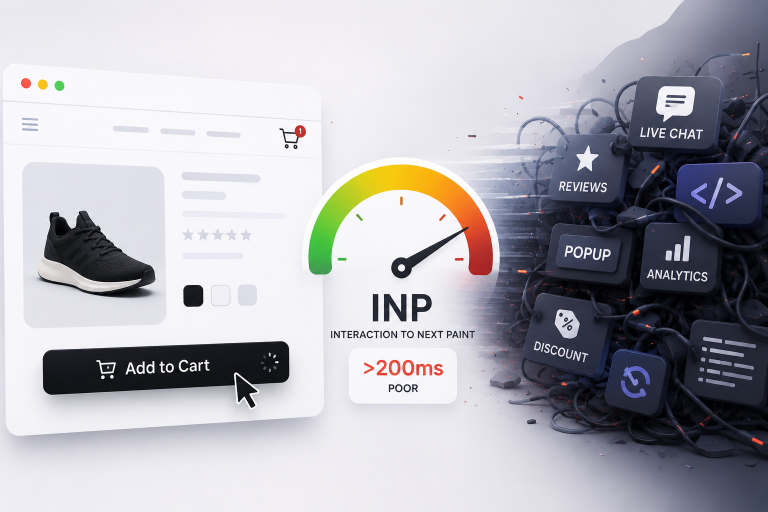
But in reality? Your store morphs into a heavy technical “soup,” and Google starts dropping your rankings because a critical metric takes a massive hit: INP.
What on Earth is INP, and Why Does SEO Care?
Back in March 2024, Google officially promoted INP (Interaction to Next Paint) to a core ranking factor, completely replacing the outdated FID (First Input Delay).
Remember when e-commerce optimization was just about how fast your content initially popped up on the screen? Those days are gone. Today, Google tracks how fast your storefront responds to actual user clicks throughout their entire stay on the page.
Think about what a shopper does on your site:
- Selects a color or size in the product filters.
- Clicks a slider arrow in the media gallery.
- Toggles the “Specifications” tab or the main menu.
- Hits the “Add to Cart” button.
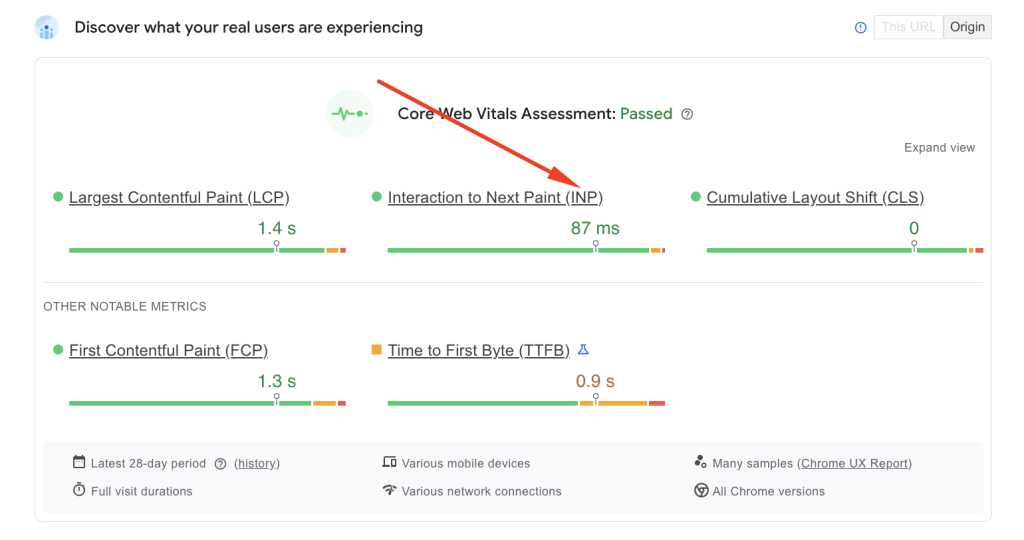
INP measures that exact window in milliseconds—from the physical tap or click to the exact moment the browser renders the updated frame on the screen. If this delay stretches past 200 milliseconds, Google flags the experience as poor. And yes, that directly dents your organic visibility.
Under the Hood: What’s Actually Choking the Browser?
Every “ready-to-go” plugin or third-party script is essentially a pile of extra JavaScript. Your user’s browser has to download, parse, compile, and execute all of it.
When you have 20 to 30 of these modules running simultaneously, you trigger a massive traffic jam in the browser’s Main Thread. By nature, JavaScript is a single-threaded lane. If a heavy Long Task from a review widget or an analytics script is occupying that lane, the Main Thread completely locks up.
Imagine this scenario: Your page looks fully loaded. An eager shopper sees the product card and clicks “Add to Cart.” But the browser can’t process that click instantly because its CPU cycles are completely hogged by third-party tracking scripts.
The result? A frustrating lag where the UI freezes for a few hundred milliseconds. If your site is packed with this kind of code bloat, your INP slips right out of the healthy green zone.
The One-Size-Fits-All Trap: Why Ready-Made Modules Balloon Your Code
The real issue with commercial plugins is their universality. Developers build them to work on thousands of different stores. To make that happen, they pack the codebase with features, styles, and edge-case scenarios that your specific store will probably never use.
To solve one tiny task—like displaying a simple review form—your site is forced to pull in the plugin’s entire universal footprint. Accumulate a dozen of these, and your total JavaScript payload becomes a nightmare for mid-range mobile devices, whose processors simply can’t chew through that much data fast enough.
You cannot achieve consistent loading speeds and a snappy UI without strict control over third-party code. Scaling an e-commerce business requires a delicate balance between marketing tools and code cleanliness.
How do you keep the fancy features without destroying your Core Web Vitals?
How do you implement advanced filtering, automated review loops, and dynamic marketing blocks while keeping your interface lightning-fast and your real-user Core Web Vitals safely in the green?
In our next article – “Custom Code vs. Plugins: How to Optimize Core Web Vitals Without Losing Functionality” – we will break down the exact architectural approach that lets you keep all your favorite business tools while freeing the customer’s browser from unnecessary bloatware. Stay tuned!